How to Send Print-Ready Artwork: Bleed, Resolution, and Color
Most print delays come from artwork, not printing. This is a plain-language guide to bleed, safe margins, resolution, CMYK color, fonts, and file formats, and what to do if all you have is a logo.
· 8 min read
By Jeni Wilkins, Nex-Jen Print
Almost every avoidable delay in a print project traces back to the artwork file. The good news is that the rules are simple, they've barely changed in twenty years, and you don't need to memorize them, you just need to know what your printer is looking at.
Bleed: printing past the edge
Paper shifts a hair as it's cut. If your background color stops exactly at the trim line, some pieces in the stack will come back with a thin white sliver along one edge.
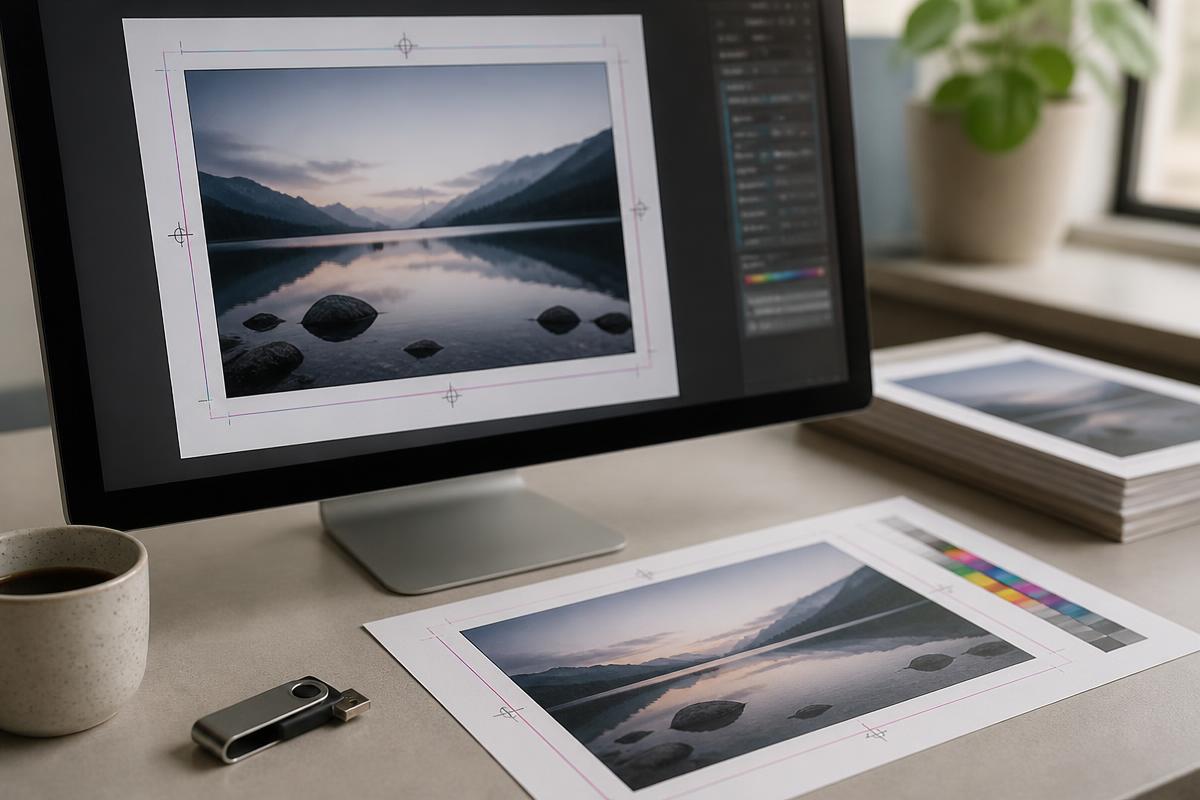
Bleed solves this by extending the background past the finished size, commonly an eighth of an inch on every side for small commercial work, and more on large format. A 3.5 × 2 inch business card with bleed is built at 3.75 × 2.25 inches, then trimmed down.
Bleed is only needed when ink runs to the edge. A design with a white border doesn't need it.
The safe area: keeping text away from the knife
The flip side of bleed is the safe margin. Keep all text, logos, and anything you can't afford to lose at least an eighth of an inch inside the trim, a quarter inch is more comfortable. Borders are the single riskiest design choice in print, because a tiny cutting shift makes an even border look obviously uneven.
Resolution: why the web image looks fine and prints badly
Screens display around 72 pixels per inch. Commercial printing generally wants 300 dots per inch at the final printed size. An image that looks sharp on your monitor can be a quarter of the resolution needed once it's on paper.
Large format is the exception. Because banners and signs are viewed from a distance, they are routinely produced at lower resolution than a brochure, often 100 to 150 dpi at full size, and less for very large pieces. That's not a compromise; it's how the math of viewing distance works.
A simple check: enlarging a photo in software adds pixels but adds no detail. If the original is small, it stays soft.
- Small pieces: cards, flyers, brochures: 300 dpi at final size
- Posters viewed up close: 150 to 300 dpi
- Banners and signs viewed from feet away: 100 to 150 dpi at full size
- Logos and type: vector whenever possible, which has no resolution limit
Vector vs. raster
Raster files, JPG, PNG, TIFF, PSD, are grids of pixels and have a fixed maximum size. Vector files, AI, EPS, PDF, SVG, are mathematical shapes and scale to any size with perfectly clean edges.
Logos and text should be vector. If your logo only exists as a JPG pulled from a website, it will look soft on anything larger than a business card. Finding or rebuilding the vector version is one of the highest-value things you can do for every future print project.
Color: RGB, CMYK, and why the print looks different
Screens make color with light, red, green, and blue added together. Presses make color with ink, cyan, magenta, yellow, and black layered on paper. The RGB range is larger, so some colors you see on screen genuinely cannot be reproduced in CMYK ink. The most common surprises are electric blues, bright oranges, and neon greens, which shift toward duller versions.
Convert to CMYK before you approve artwork so you're judging what will actually print. If exact brand color consistency is critical, a corporate identity, a franchise standard, ask about spot color options rather than relying on a process match.
One more: rich black. Large black areas printed with 100% black ink alone look washed out. A rich black mixes in other inks for depth. Small body text, on the other hand, should stay 100% black only, or it will look fuzzy when the plates register.
Fonts
If we don't have your font installed, the file reflows or substitutes and your layout breaks. Two reliable fixes: export a PDF with fonts embedded, or convert type to outlines before sending. Converting to outlines means the text is no longer editable, so keep an editable copy for yourself.
What to send
- Press-ready PDF: the safest general format; include bleed and crop marks when the design runs to the edge
- Native files: AI, INDD, PSD, with linked images and fonts packaged together
- High-resolution images at final size, not screenshots or emailed-down copies
- Vector logo files if they exist
- A note about finished size, quantity, and any finishing such as folds, rounded corners, or holes
If you don't have artwork at all
That's a normal starting point, not a problem. Plenty of projects begin with a logo, a phone photo of something similar, or a sentence describing the idea. Design assistance is available, and it is usually cheaper than reprinting a job that was built from a low-resolution file.
Common questions
- What resolution do print files need?
- 300 dpi at the final printed size is the standard for small commercial work like cards, flyers, and brochures. Large format banners and signs are viewed from a distance and are commonly produced at 100 to 150 dpi at full size.
- What is bleed in printing?
- Bleed is artwork extended past the trim line, typically an eighth of an inch per side, so that normal cutting variation never leaves a white edge on a design that runs to the edge of the sheet.
- Why does my printed piece look different from my screen?
- Screens create color with light in RGB and printing creates color with ink in CMYK. Some bright screen colors have no exact ink equivalent and will print as a slightly duller version. Converting artwork to CMYK before approval lets you see the realistic result.
- Can you print from a Canva or Word file?
- Often yes, but export a PDF with bleed rather than sending the editable document, and check that any photos in it are high resolution. Send the file with your quote request and we'll tell you if anything needs adjusting.
Not sure if your file is ready to print?
Send it over with your quote request. We'll review it, tell you plainly what needs to change, and help you get it press-ready, or build it for you.
Keep reading
Business Card Stock and Finishes, Explained in Plain English
14pt or 16pt? Gloss, matte, or soft touch? A guide to the paper weight, coating, and finishing choices that decide how your business card feels in someone's hand.
The Power of Large Format Printing: How Banners, Signs, and Trade Show Graphics Transform Your Brand
Large format printing covers banners, signs, posters, and trade show graphics printed at display size. It is one of the lowest cost-per-impression ways to be seen, here is how it works and how to plan a project.